WIKIPEDIA
APP REDESIGN
2025
YEAR
Figma
Personal Project
TYPE
TOOLKIT
10 days
TIMEFRAME
©2026
©2026
PROBLEM
Redesigning the Wikipedia App proved to be an exceptionally complex and demanding challenge, one that required
meticulous planning, innovative thinking, and a deep understanding of user needs, yet it was successfully in making
the application significantly easier to use, more intuitive, and considerably more accessible to a broad and diverse
global audience, regardless of their geographic location, language, or level of technological skills.
Throughout the entire process, the design choices that were made were characterized by their boldness and willingness to break
conventional norms, as well as their consistent focus on the end user, ensuring that every decision prioritized clarity, simplicity,
and functionality above all else, ultimately aiming to create an experience that was both highly effective and welcoming for users.
Redesigning the Wikipedia App proved to be an exceptionally complex and demanding challenge, one that required
meticulous planning, innovative thinking, and a deep understanding of user needs, yet it was successfully in making the application significantly easier to use, more intuitive, and considerably more accessible to a broad and diverse global audience, regardless of their geographic location, language, or level of technological skills.
Throughout the entire process, the design choices that were made were characterized by their boldness and willingness to break conventional norms, as well as their consistent focus on the end user, ensuring that every decision prioritized clarity, simplicity, and functionality above all else, ultimately aiming to create an experience that was both highly effective and welcoming for users.
WIKIPEDIA APP REDESIGN
WIKIPEDIA APP REDESIGN
2025
Figma
10 days
Case Study
YEAR
TOOLKIT
TIMEFRAME
TYPE
The current placement of the Search box is positioned excessively high on the screen, which contravenes modern
principles of thumb-friendly user interface design. This placement necessitates an uncomfortable stretch for the user,
creating a physically awkward and inefficient interaction right at the start of the user journey.
The Featured Article section is currently displayed at the bottom of the screen, additionally the current presentation
cuts the article in half, which affects readability and overall impact.
The section dedicated to Wikipedia Games currently fails to deliver a compelling or enjoyable user experience.
Its presentation lacks the visual appeal and interactive elements.
The app's initial landing screen is currently set to the Explore page by default.
This decision presents users with a somewhat generic and unstructured content feed immediately upon launching
the application, which may not align with their immediate goals and fails to create a strong, focused first impression
that highlights the app's most valuable features.
The functionality and layout of the Saved articles section are not intuitively designed, making the process of managing and revisiting stored content more harder than it should be.
The More button, which serves as a critical gateway to a wide array of additional options and application settings,
is presented in a manner that is not visually engaging or inviting to the user. Its passive and generic label and styling
fail to encourage exploration, causing many of the app's deeper functionalities to remain undiscovered by a significant portion of the users.
The Places feature, which offers a valuable location-based context for exploring Wikipedia content, suffers from
severe accessibility issues due to its placement. By being buried within the sub-menu of the More section, it is
effectively hidden from users, requiring multiple taps to access and thereby reducing its discoverability and frequency
of use.
The current placement of the Search box is positioned excessively high on the screen, which contravenes modern
principles of thumb-friendly user interface design. This placement necessitates an uncomfortable stretch for the user, creating a physically awkward and inefficient interaction right at the start of the user journey.
The Featured Article section is currently displayed at the bottom of the screen, additionally the current presentation
cuts the article in half, which affects readability and overall impact.
The section dedicated to Wikipedia Games currently fails to deliver a compelling or enjoyable user experience.
Its presentation lacks the visual appeal and interactive elements.
The app's initial landing screen is currently set to the Explore page by default. This decision presents users with a somewhat generic and unstructured content feed immediately upon launching the application, which may not align with their immediate goals and fails to create a strong, focused first impression that highlights the app's most valuable features.
The functionality and layout of the Saved articles section are not intuitively designed, making the process of managing and revisiting stored content more harder than it should be.
The More button, which serves as a critical gateway to a wide array of additional options and application settings, is presented in a manner that is not visually engaging or inviting to the user. Its passive and generic label and styling fail to encourage exploration, causing many of the app's deeper functionalities to remain undiscovered by a significant portion of the users.
The Places feature, which offers a valuable location-based context for exploring Wikipedia content, suffers fromsevere accessibility issues due to its placement. By being buried within the sub-menu of the More section, it is
effectively hidden from users, requiring multiple taps to access and thereby reducing its discoverability and frequency of use.
SOLUTION
SOLUTION
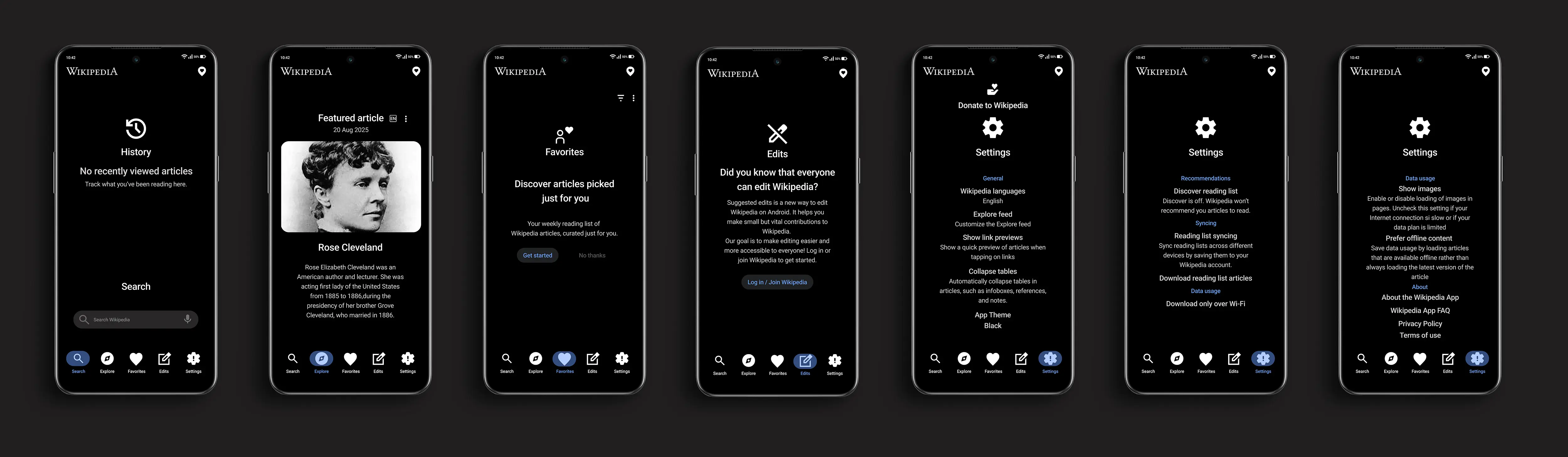
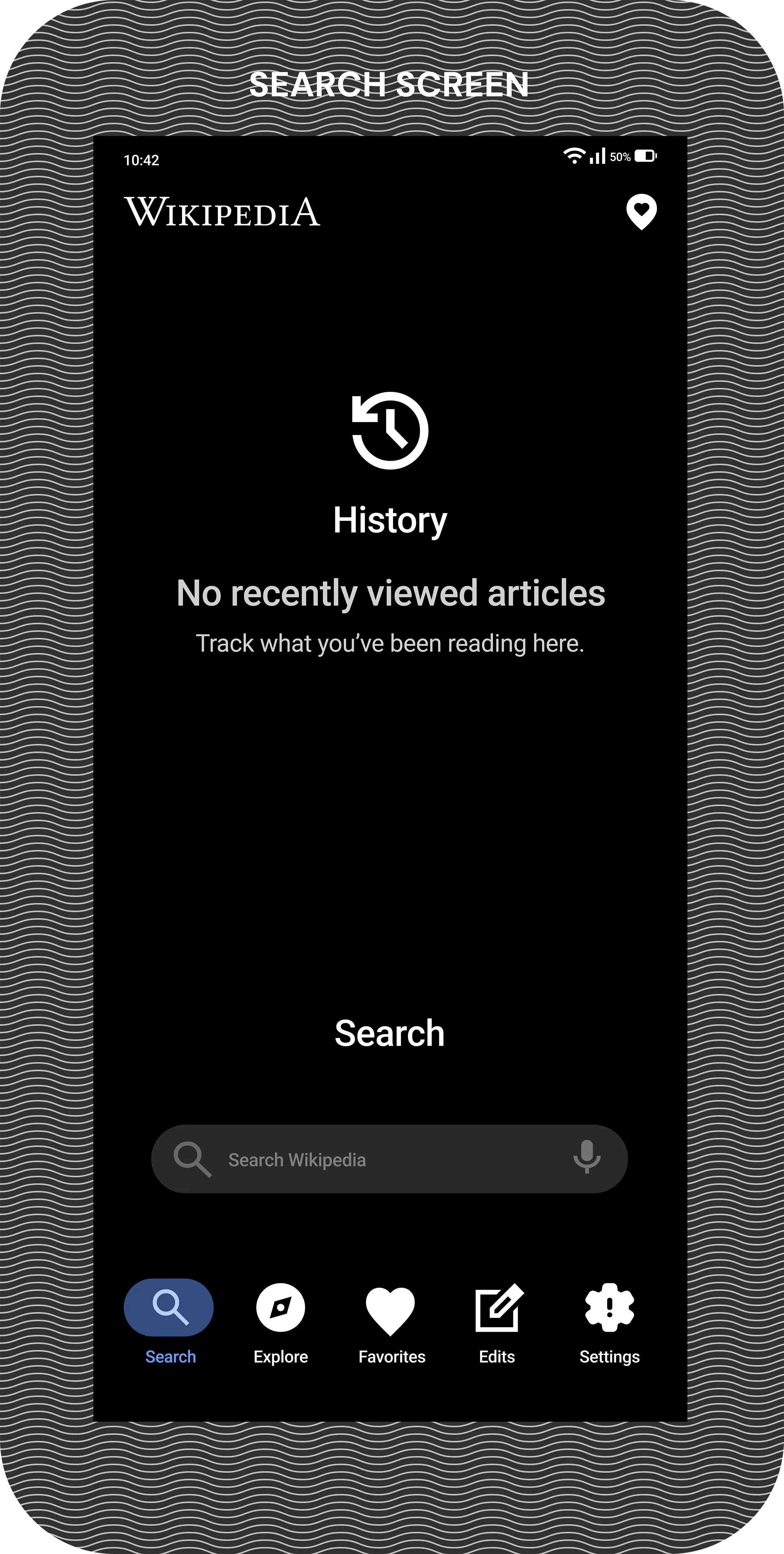
In the redesign, it was implemented a significant repositioning of the Search box, relocating it to the bottom of the
screen as a cornerstone of the new interface; this strategic placement was deliberately chosen to align with modern
ergonomic principles, ensuring that users can now reach this primary function with unparalleled ease and comfort
using just their thumb. The Search section has been elevated to become the very first screen users encounter upon
launching the application, immediately facilitating their goal of finding facts.
The History feature was preserved in its current state, recognizing its continued value as an indispensable tool that
allows users to effortlessly track and revisit their previous reading journeys and research paths. The second screen
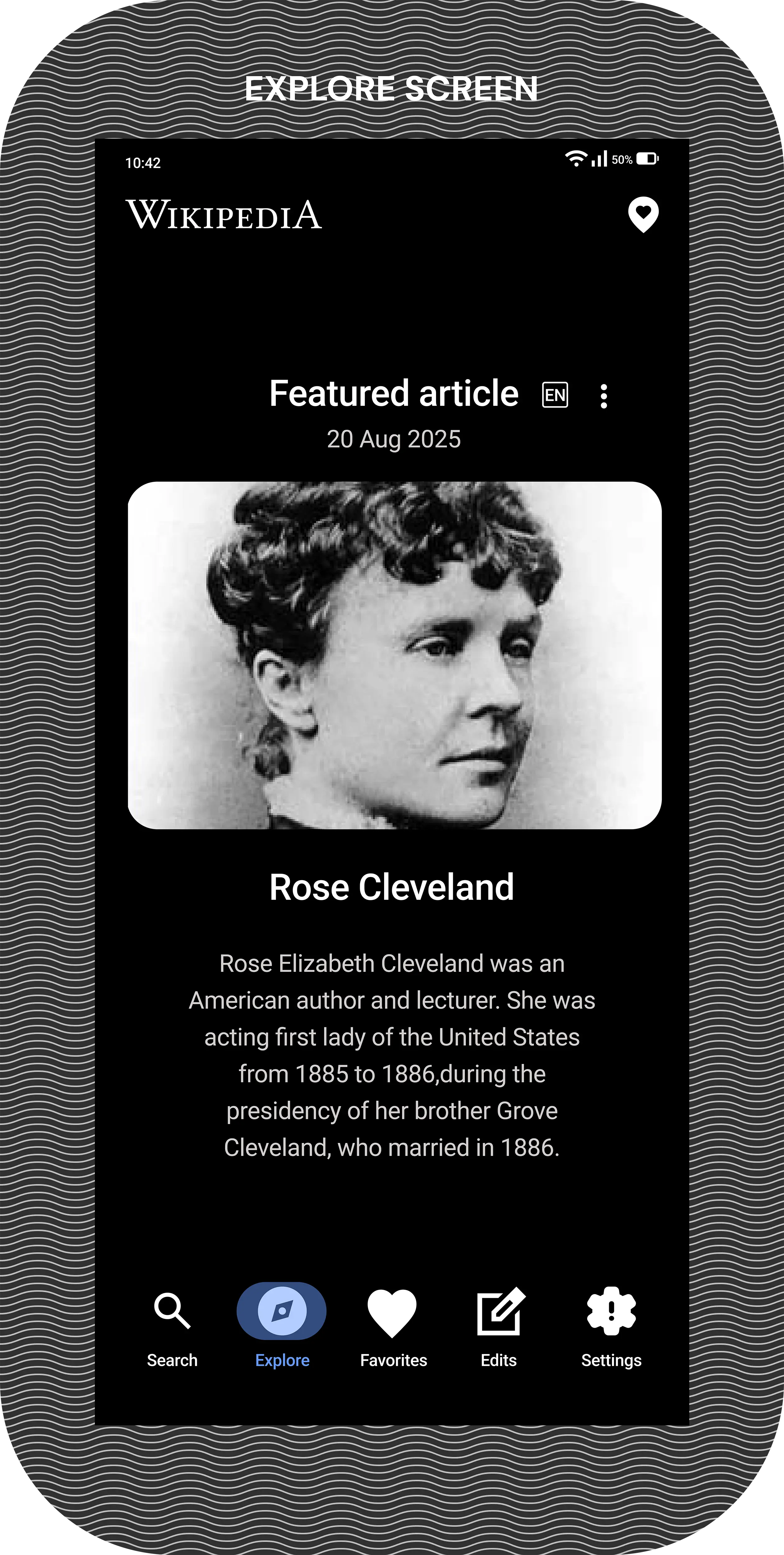
within the new navigational hierarchy is now the revitalized Explore section, which has been enhanced to prominently
display the Featured Article in its complete form; this new presentation eliminates the need for any initial scrolling,
allowing users to immediately immerse themselves in the full content and appreciate the article's impact without any
visual obstruction.
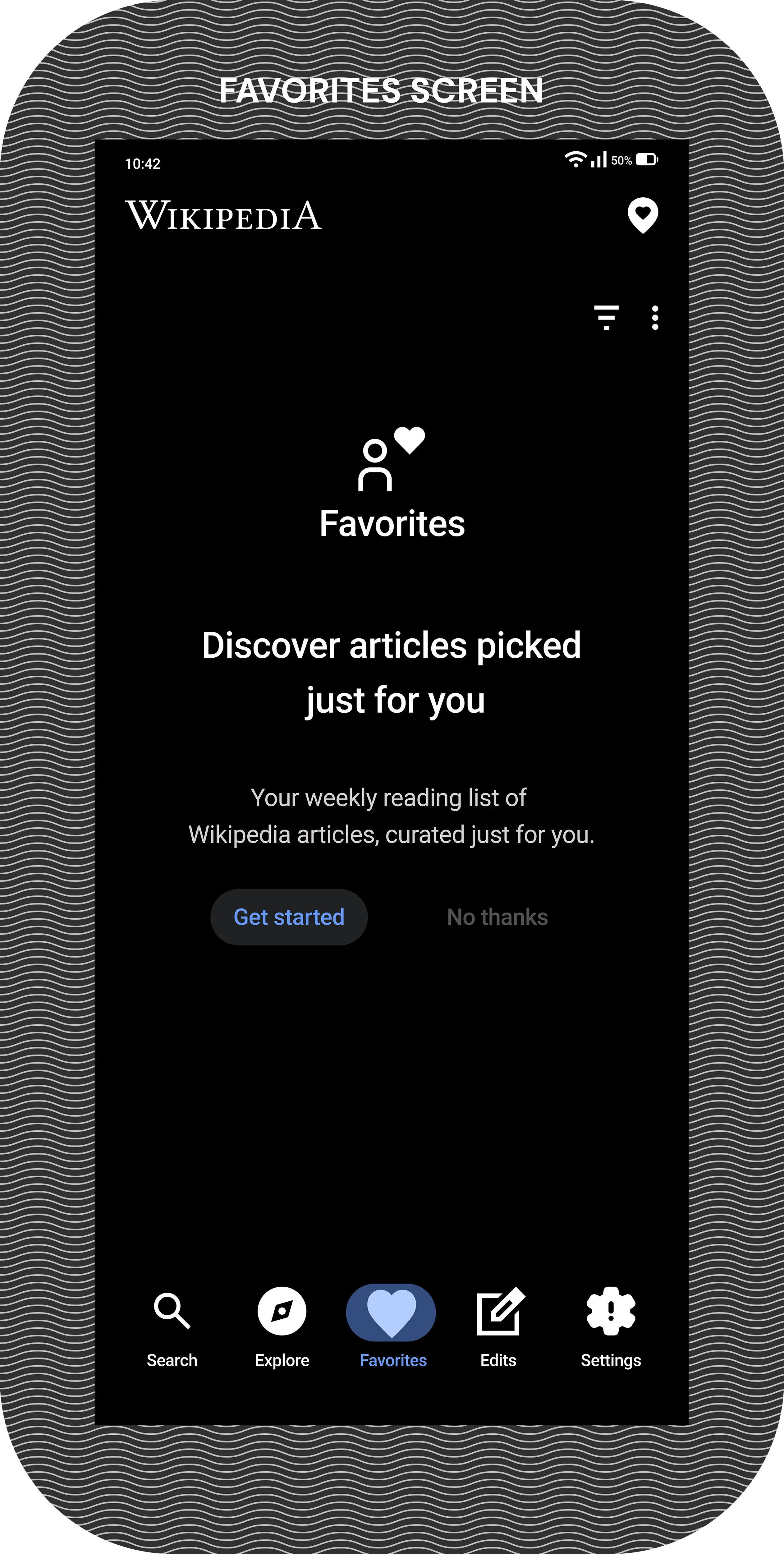
The previously labeled Saved Articles section has been thoughtfully reimagined and rebranded as the Favorites section, which now occupies the third position both as a screen and as a button on the new navigation bar; this space is designed to feel like a personally curated library where users can discover and rediscover articles tailored just for them.
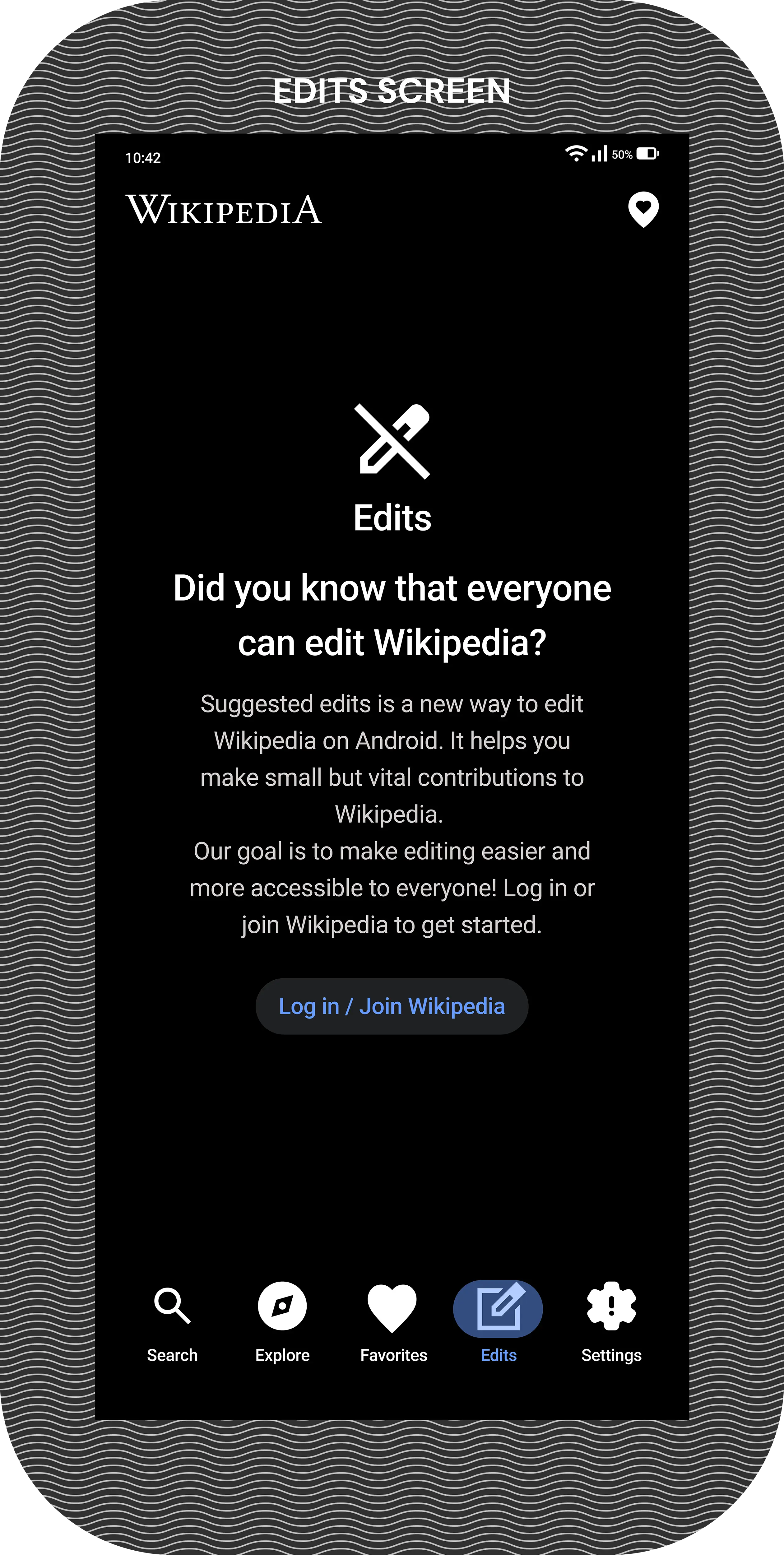
The Edits section was maintained without any functional alterations to its workflow, acknowledging its importance to
a dedicated segment of the users , and it now resides as the fourth screen accessible from the navigation bar.
To improve the accessibility of the location-based features, the Places icon has been extracted from its previously
buried menu location and granted a persistent and highly visible position in the top-right corner of the application's
interface; this ensures it is available as a constant option across virtually every screen, empowering users to access it
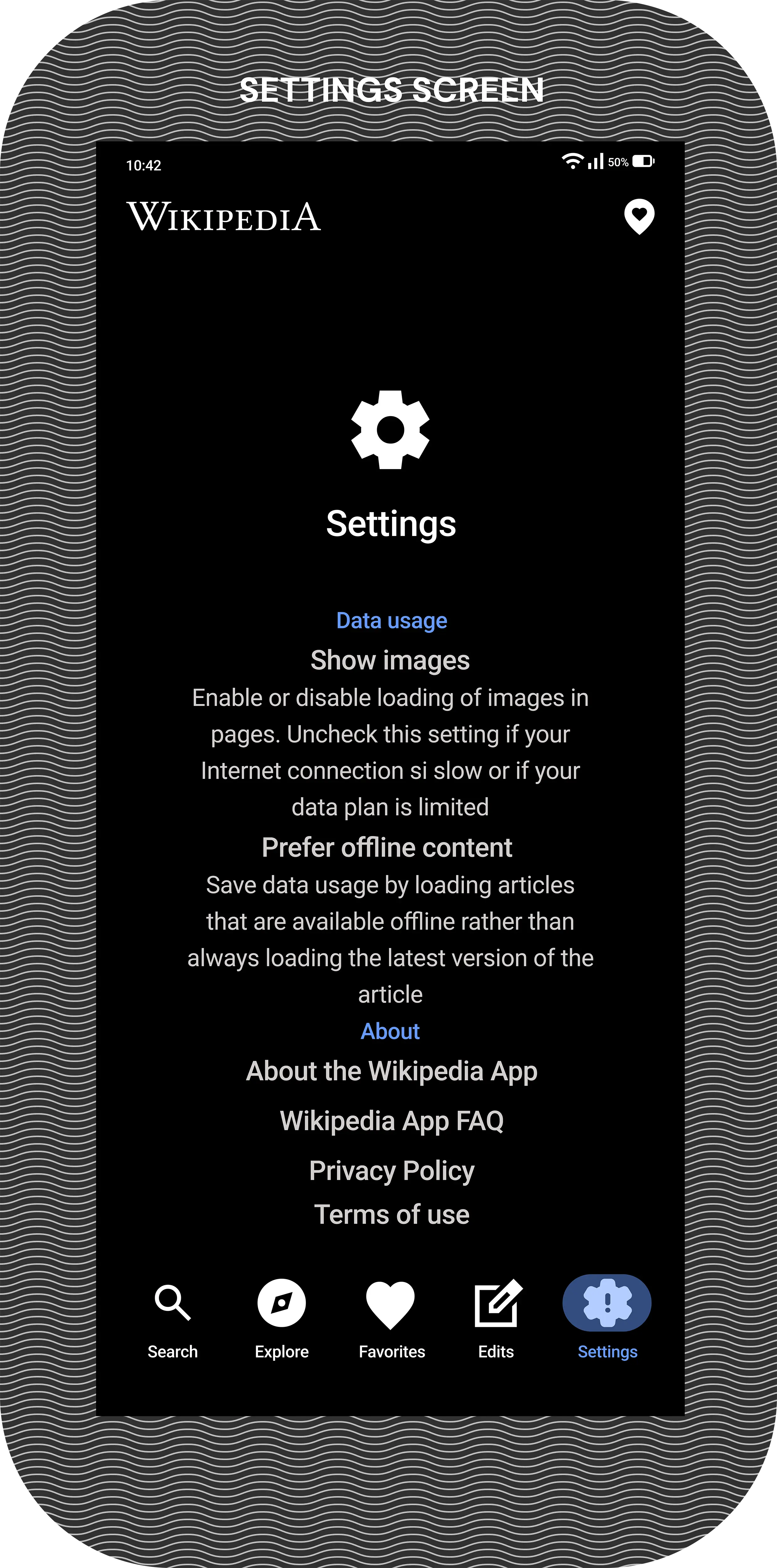
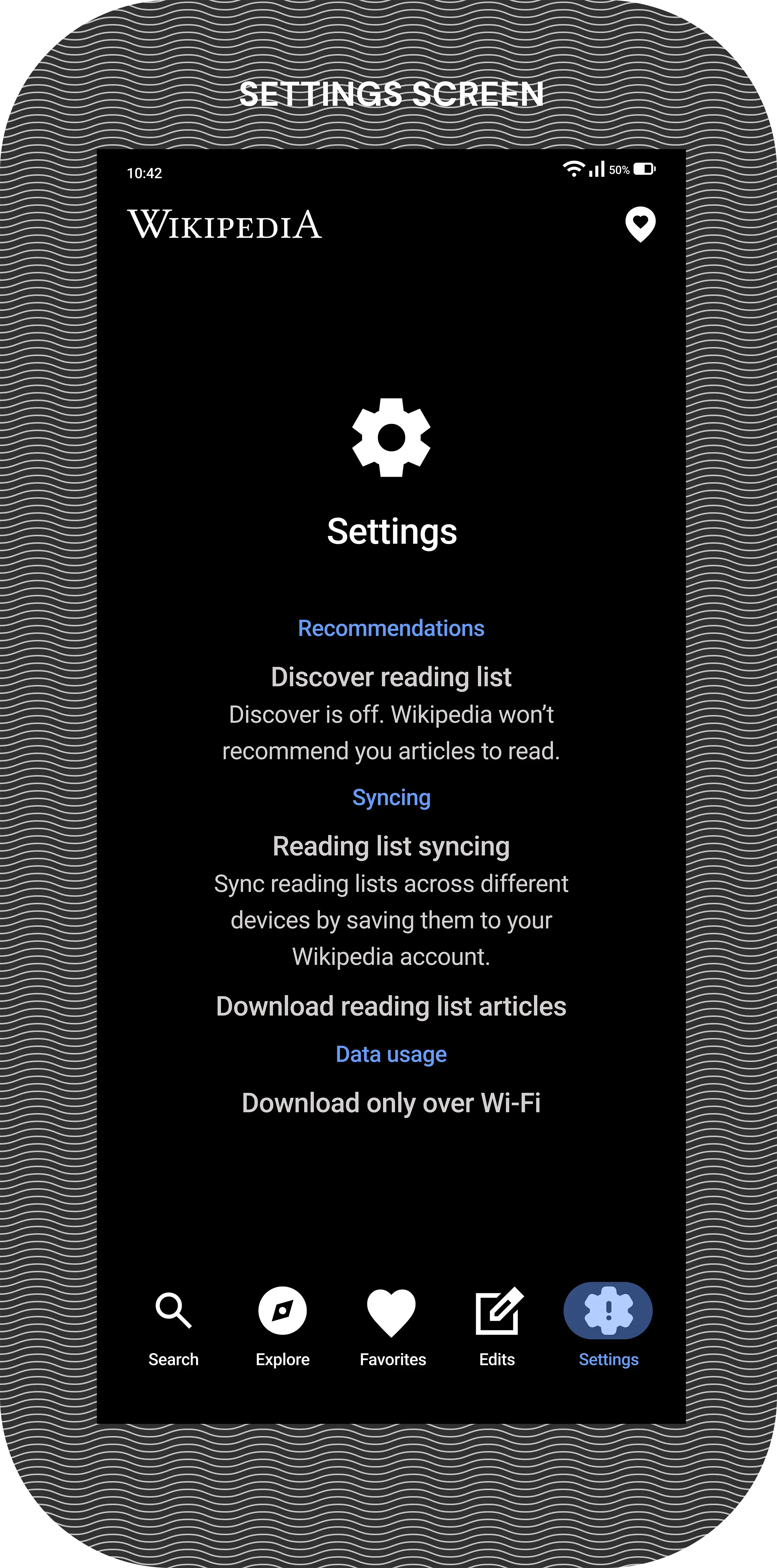
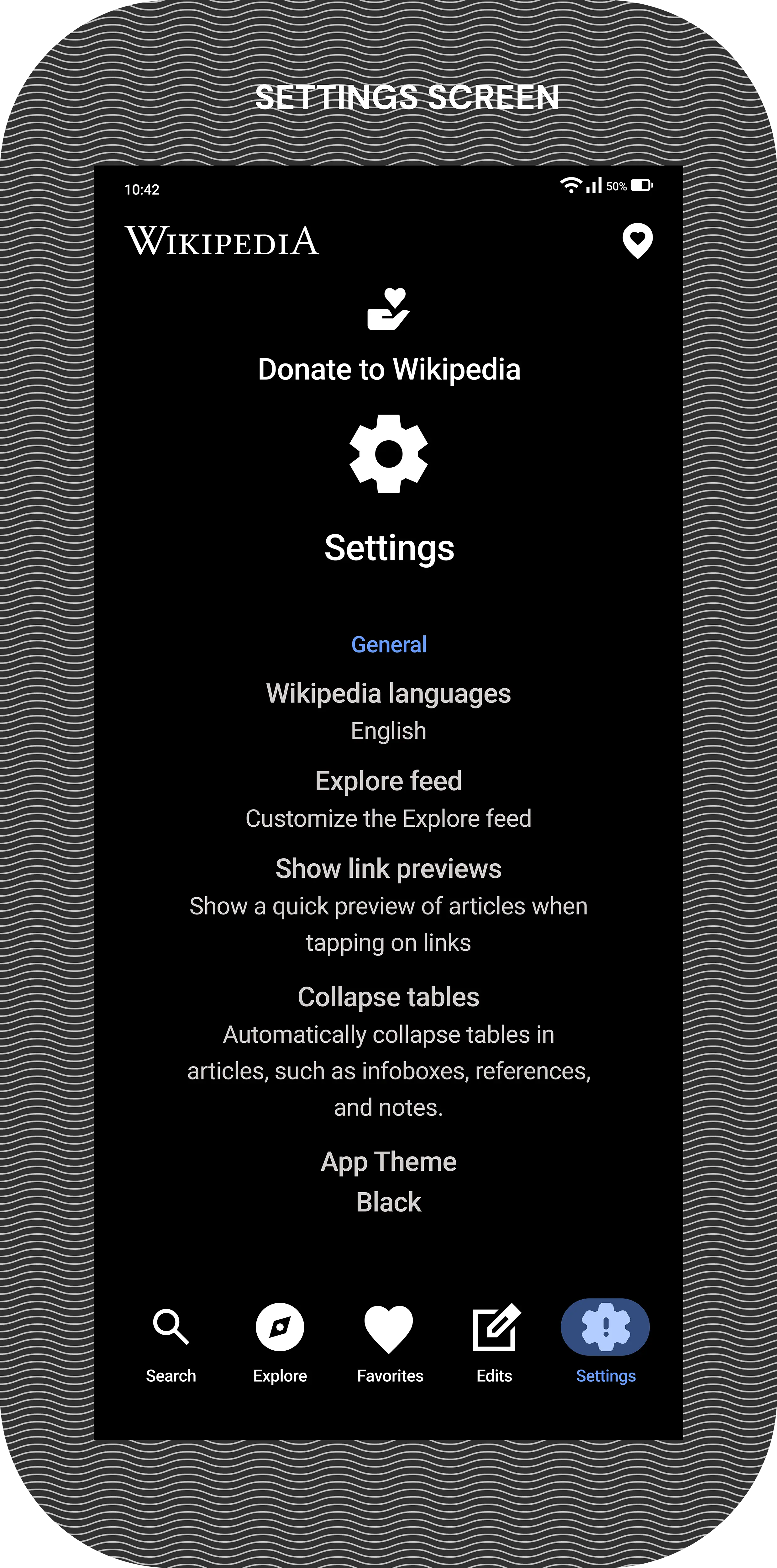
whenever the need arises. Finally, the last section of the app is dedicated to a comprehensively organized Settings area,which serves as the fifth and final button on the navigation bar and houses a logically structured menu of options
including General preferences, Recommendation settings, Syncing controls, Data Usage management, and an
About page, while also thoughtfully incorporating the vital Donate to Wikipedia option to support the platform's
ongoing mission.
In the redesign, it was implemented a significant repositioning of the Search box, relocating it to the bottom of the
screen as a cornerstone of the new interface; this strategic placement was deliberately chosen to align with modern ergonomic principles, ensuring that users can now reach this primary function with unparalleled ease and comfort using just their thumb. The Search section has been elevated to become the very first screen users encounter upon launching the application, immediately facilitating their goal of finding facts.
The History feature was preserved in its current state, recognizing its continued value as an indispensable tool that
allows users to effortlessly track and revisit their previous reading journeys and research paths. The second screen
within the new navigational hierarchy is now the revitalized Explore section, which has been enhanced to prominently display the Featured Article in its complete form; this new presentation eliminates the need for any initial scrolling, allowing users to immediately immerse themselves in the full content and appreciate the article's impact without any visual obstruction.
The previously labeled Saved Articles section has been thoughtfully reimagined and rebranded as the Favorites section, which now occupies the third position both as a screen and as a button on the new navigation bar; this space is designed to feel like a personally curated library where users can discover and rediscover articles tailored just for them.
The Edits section was maintained without any functional alterations to its workflow, acknowledging its importance to a dedicated segment of the users , and it now resides as the fourth screen accessible from the navigation bar.
To improve the accessibility of the location-based features, the Places icon has been extracted from its previously
buried menu location and granted a persistent and highly visible position in the top-right corner of the application's
interface; this ensures it is available as a constant option across virtually every screen, empowering users to access it
whenever the need arises. Finally, the last section of the app is dedicated to a comprehensively organized Settings area, which serves as the fifth and final button on the navigation bar and houses a logically structured menu of options including General preferences, Recommendation settings, Syncing controls, Data Usage management, and an About page, while also thoughtfully incorporating the vital Donate to Wikipedia option to support the platform's ongoing mission.
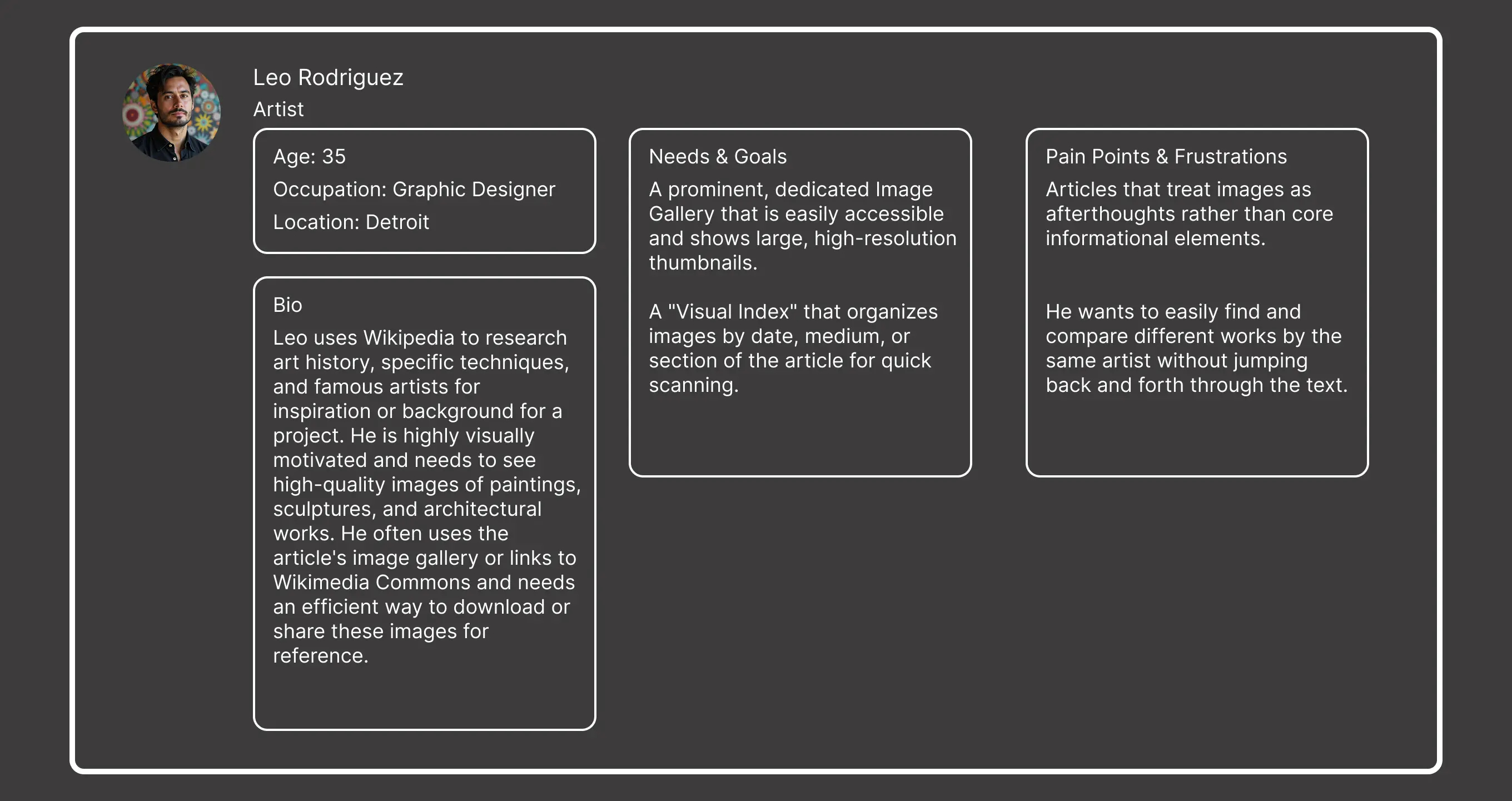
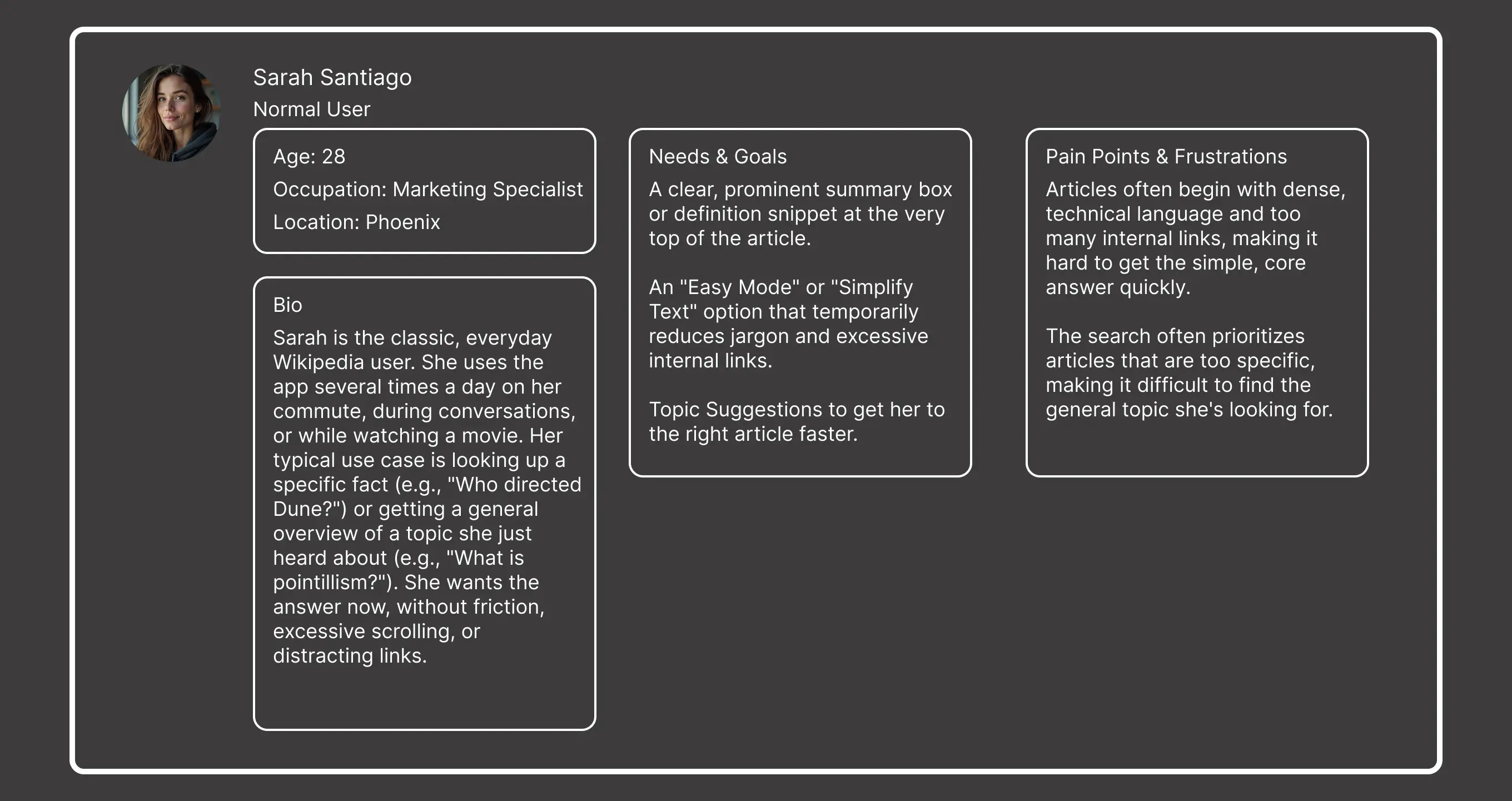
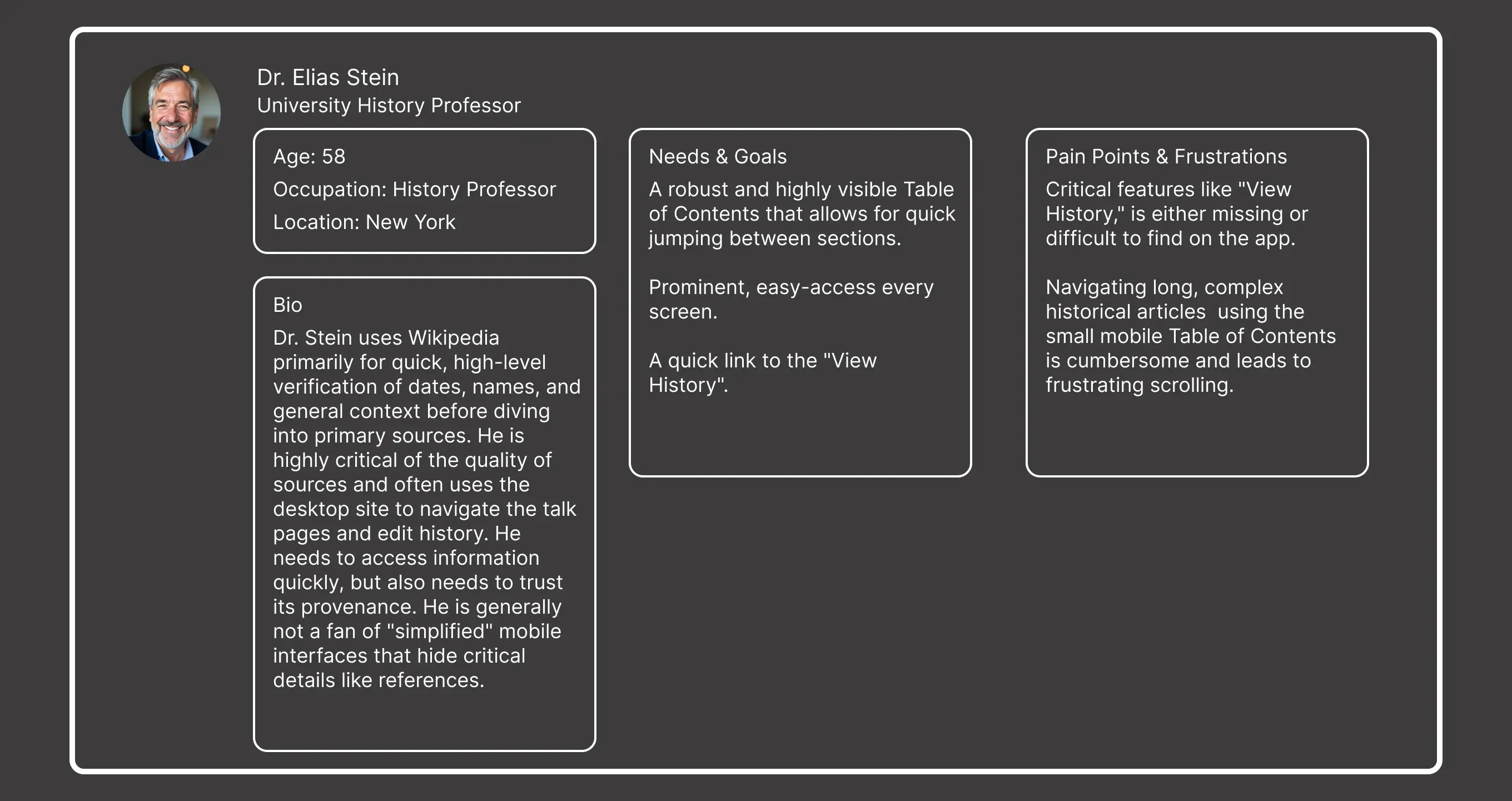
The strategic culmination of the user discovery phase, when crystallized into a suite of high-fidelity, data-driven user
personas, establishes a sophisticated ideological framework that serves as the immutable 'single source of truth' for
the entire product development trajectory; these nuanced profiles move far beyond reductive demographic markers
to encapsulate complex cognitive loads, emotional triggers, and situational constraints, thereby constructing a rigorous intellectual barrier.
The strategic culmination of the user discovery phase, when crystallized into a suite of high-fidelity, data-driven user
personas, establishes a sophisticated ideological framework that serves as the immutable 'single source of truth' for the entire product development trajectory; these nuanced profiles move far beyond reductive demographic markers to encapsulate complex cognitive loads, emotional triggers, and situational constraints, thereby constructing a rigorous intellectual barrier.
The strategic culmination of the user discovery phase, when crystallized into a suite of high-fidelity, data-driven user
personas, establishes a sophisticated ideological framework that serves as the immutable 'single source of truth' for
the entire product development trajectory; these nuanced profiles move far beyond reductive demographic markers
to encapsulate complex cognitive loads, emotional triggers, and situational constraints, thereby constructing a rigorousintellectual barrier.
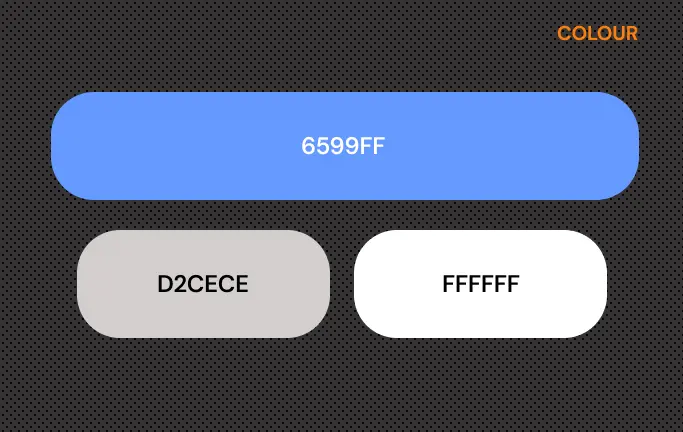
The accent color that was chosen for WIKIPEDIA REDISIGN APP is Blue 6599FF, the same color as the original version.
This color evokes trust, calmness, security, and reliability.
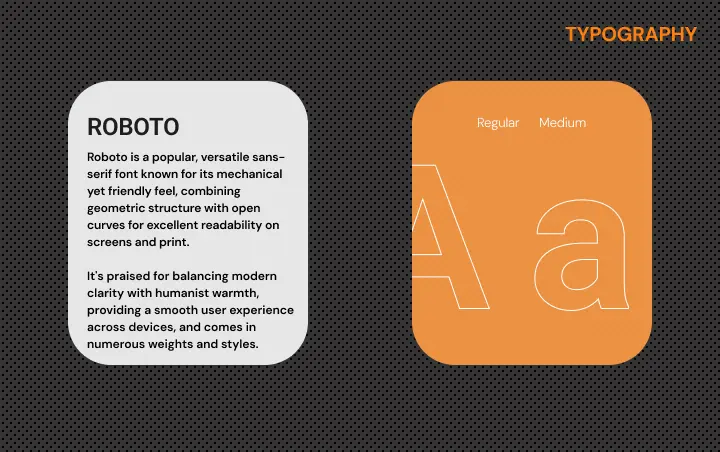
The typography used is ROBOTO a font recognized for balancing modern clarity with humanist warmth.
The accent color that was chosen for WIKIPEDIA REDISIGN APP is Blue 6599FF, the same color as the original version.
This color evokes trust, calmness, security, and reliability.
The typography used is ROBOTO a font recognized for balancing modern clarity with humanist warmth.
The accent color that was chosen for WIKIPEDIA REDISIGN APP is Blue 6599FF, the same color as the original version.
This color evokes trust, calmness, security, and reliability.
The typography used is ROBOTO a font recognized for balancing modern clarity with humanist warmth.
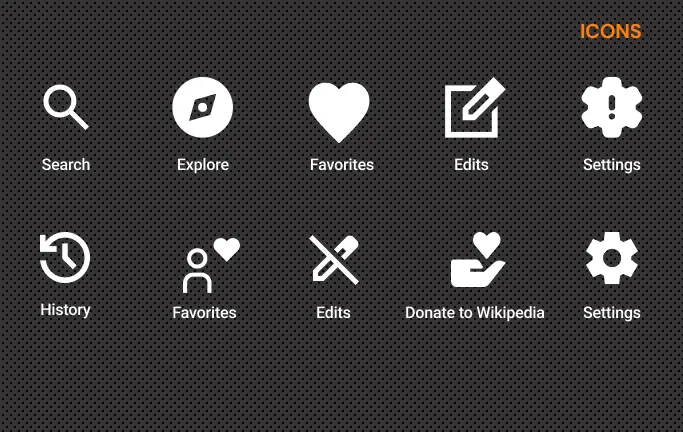
To honor the product’s heritage while advancing its usability, the iconography was strategically refined to maintain the
core visual metaphors and structural silhouettes of the legacy version, ensuring that established brand equity and user muscle memory remain intact. By modernizing the stroke weights and geometric precision without altering the familiar symbolic language, the redesign provides a seamless transition that eliminates cognitive re-learning, effectively bridging the gap between nostalgic continuity and contemporary UI standards.
To honor the product’s heritage while advancing its usability, the iconography was strategically refined to maintain the
core visual metaphors and structural silhouettes of the legacy version, ensuring that established brand equity and user muscle memory remain intact.
By modernizing the stroke weights and geometric precision without altering the familiar symbolic language, the redesign provides a seamless transition that eliminates cognitive re-learning, effectively bridging the gap between nostalgic continuity and contemporary UI standards.
To honor the product’s heritage while advancing its usability, the iconography was strategically refined to maintain the
core visual metaphors and structural silhouettes of the legacy version, ensuring that established brand equity and user
muscle memory remain intact. By modernizing the stroke weights and geometric precision without altering the familiar symbolic language, the redesign provides a seamless transition that eliminates cognitive re-learning, effectively bridgingthe gap between nostalgic continuity and contemporary UI standards.
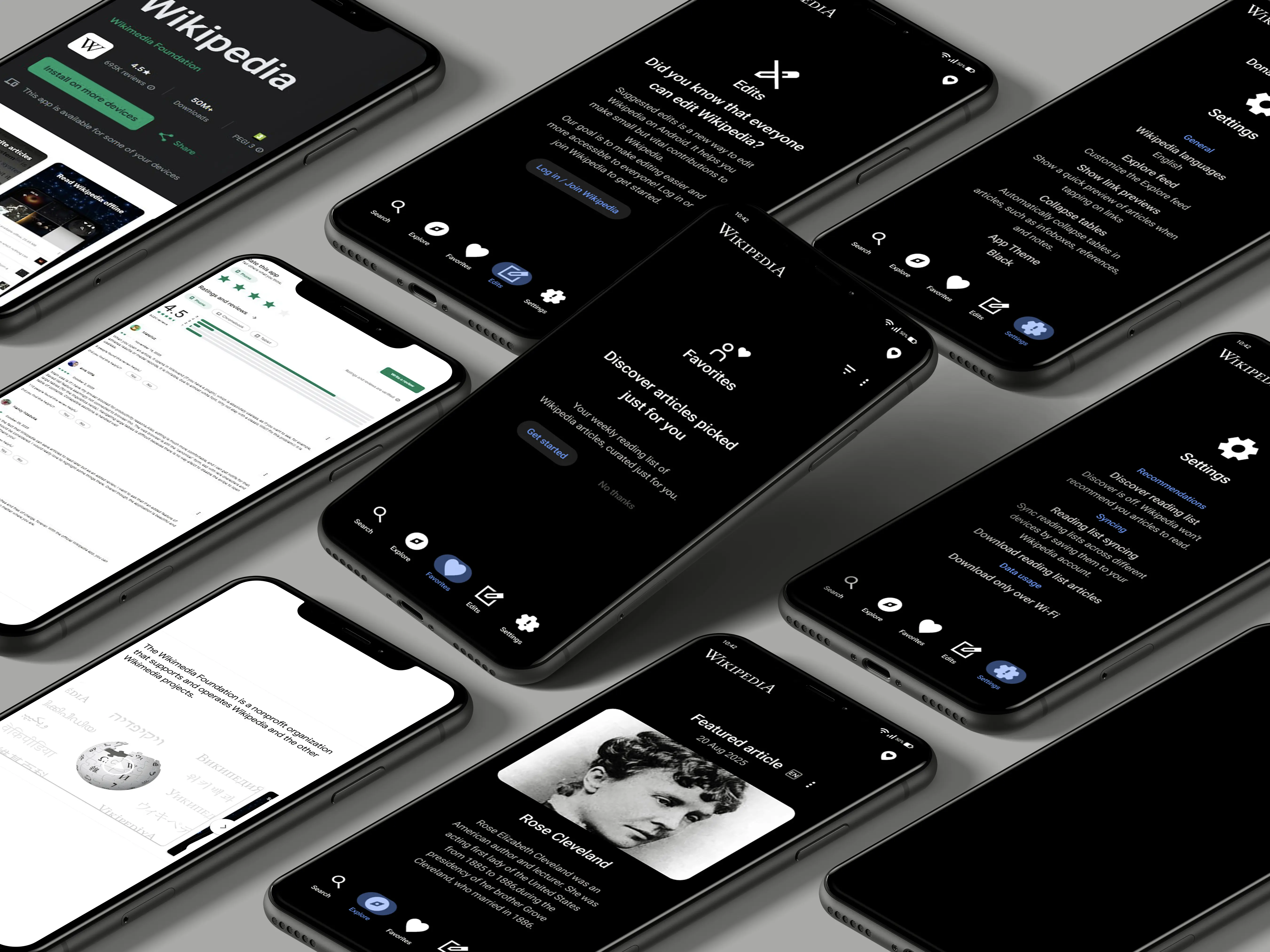
The strategic deployment of high-fidelity mockups functions as the critical inflection point within the iterative
design lifecycle, representing the definitive transition where theoretical concepts transmuted into a concrete,
high-resolution digital reality.
The strategic deployment of high-fidelity mockups functions as the critical inflection point within the iterative design lifecycle, representing the definitive transition where theoretical concepts transmuted into a concrete, high-resolution digital reality.